How to Configure 1kHz Mode
The motion control rate of the fanuc_driver can be increased up to 1kHz.
This page describes how to configure 1kHz mode.
System Requirements
FANUC Robot Controller Hardware
R-50iA series controller
Software Options
S647 STMO/HSPD COMM ADD-ON
Note
S647 has several limitations.
Some software options cannot be installed simultaneously with S647.
Some robot models do not support S647.
Please contact your FANUC sales representative to verify whether your robot configuration supports S647.
Configuration
FANUC Robot Controller
Open the
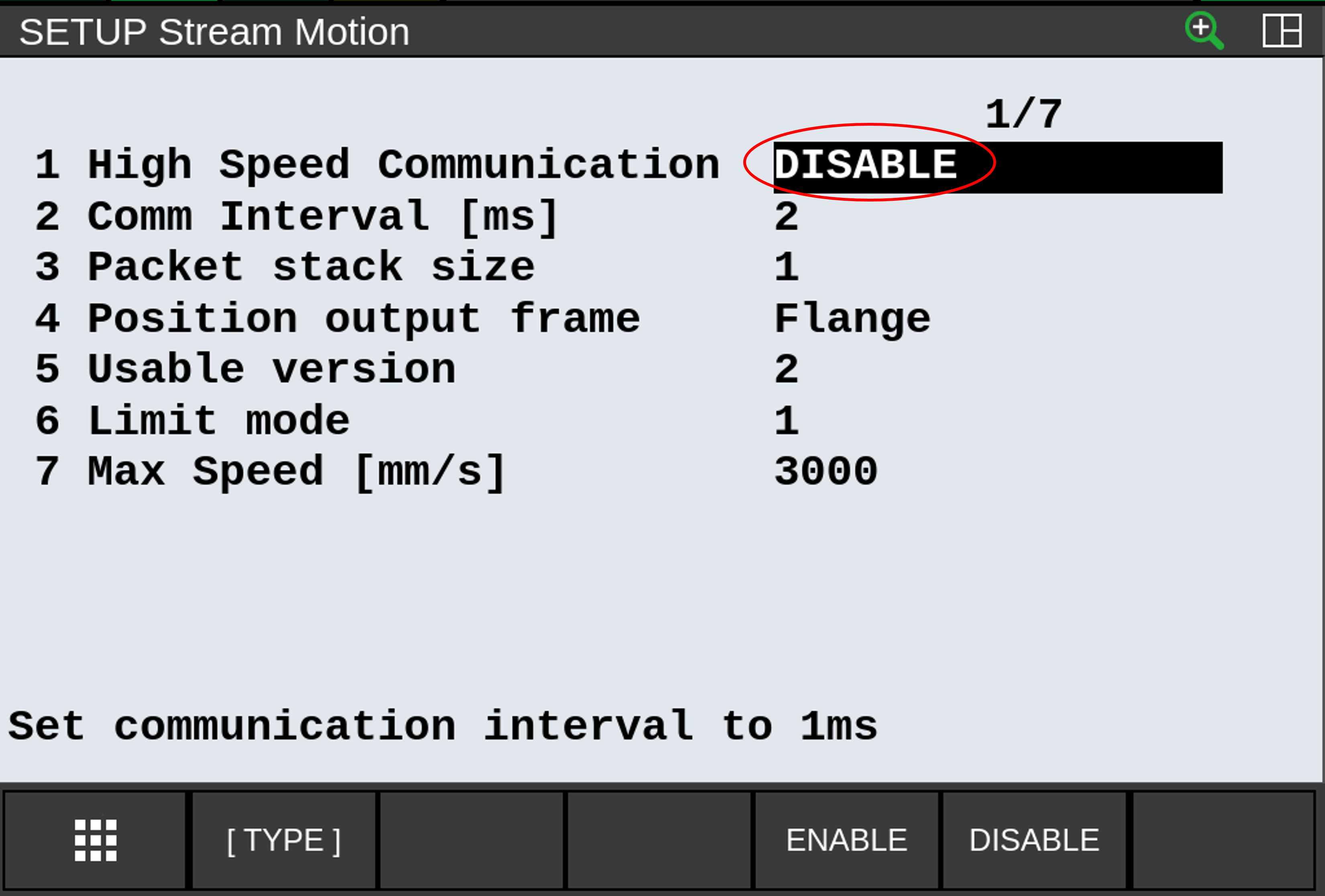
Stream Motionscreen.Set
High Speed Communicationto ENABLE.Restart the robot controller.
Confirm that
Communication Intervalis displayed as1on the screen.
ROS 2
Set
update_rateto 1000Hz or larger in ros2_controllers.yaml.Set
out_cmd_interp_buff_targetto 1 in fanuc_hardware_interface/robot/*.urdf.xacro to minimize communication latency.
Note
1kHz mode requires either a real-time kernel or a sufficiently high-performance PC to ensure stable operation. If high jitter is overserved from the PC causing the robot to drift or vibrate, please increase
out_cmd_interp_buff_targetor disableHigh Speed Communicationto use a lowerupdate_rate.On collaborative robots, speed clamping introduces additional latency. This latency can be avoided by disabling the speed clamping function by I/O. Refer to Collaborative Robot Function Manual for details.